
Skip to content

What does it replace, what does it cost, and who sees what?

Every desk in view.

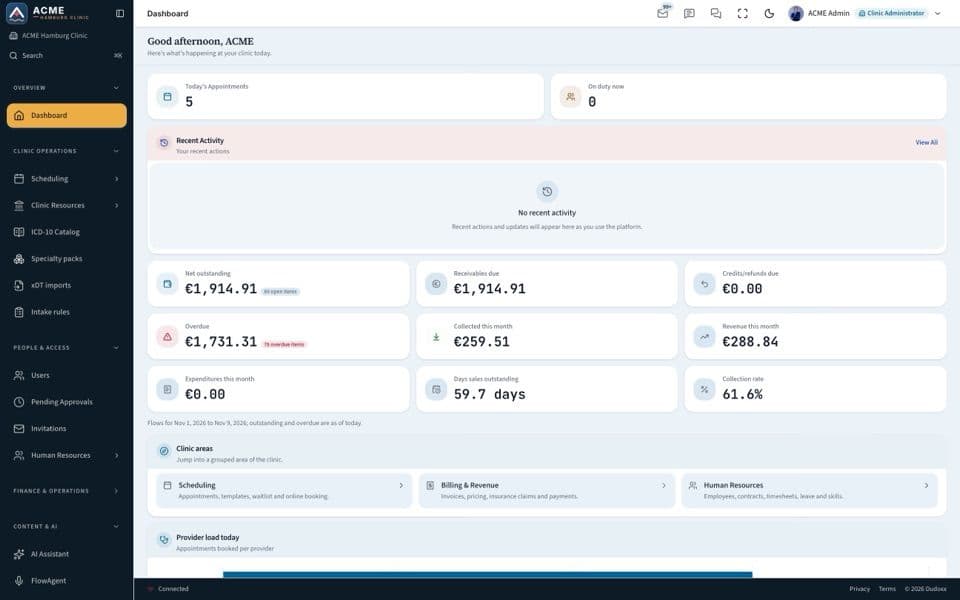
Records, scheduling, documentation, billing and clinical AI in one workspace. Every desk works on the same patient record, and the assistants take over the gathering, finding, searching and reading.

Asked at the desk

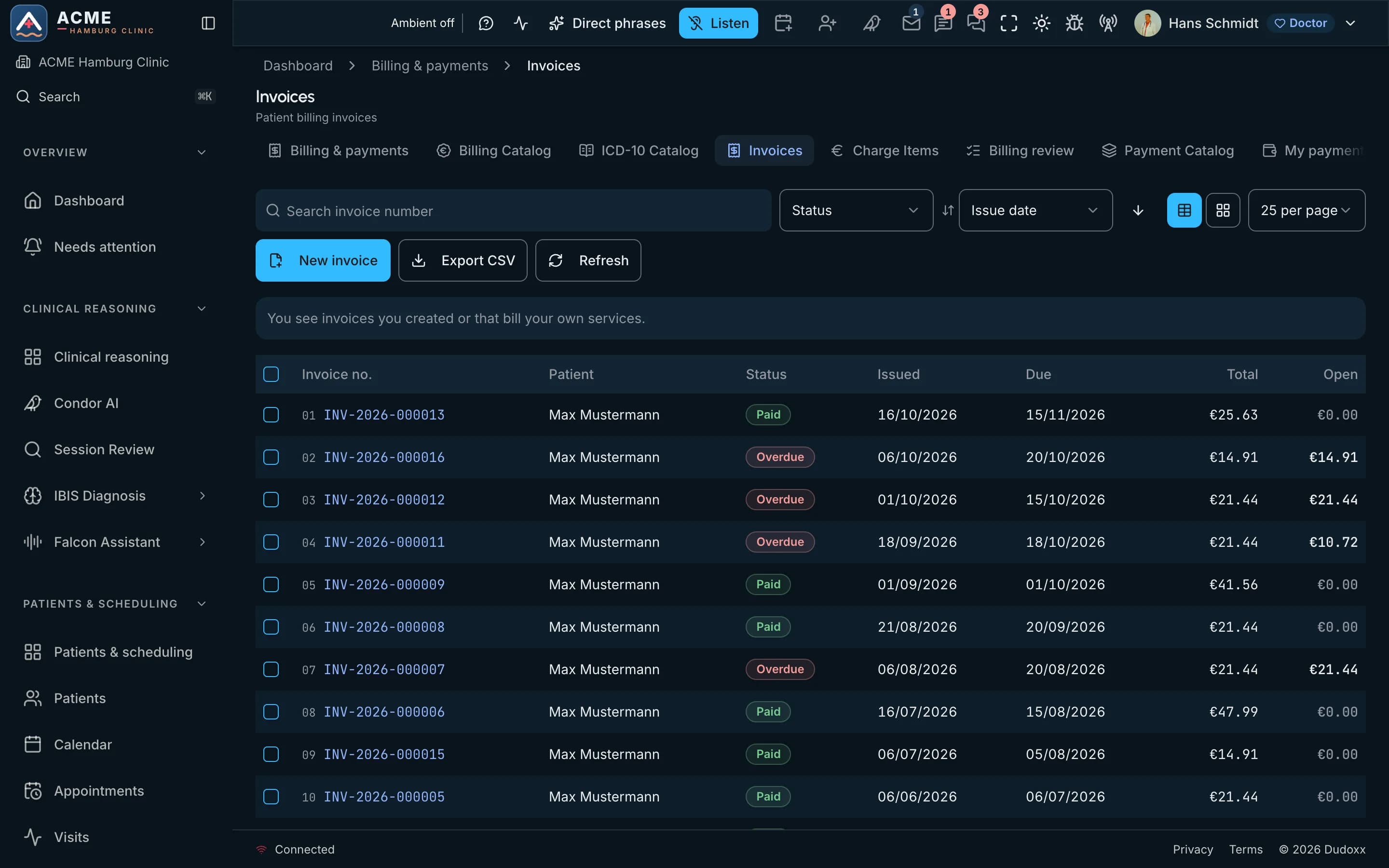
Which invoices are still open?

On the screen
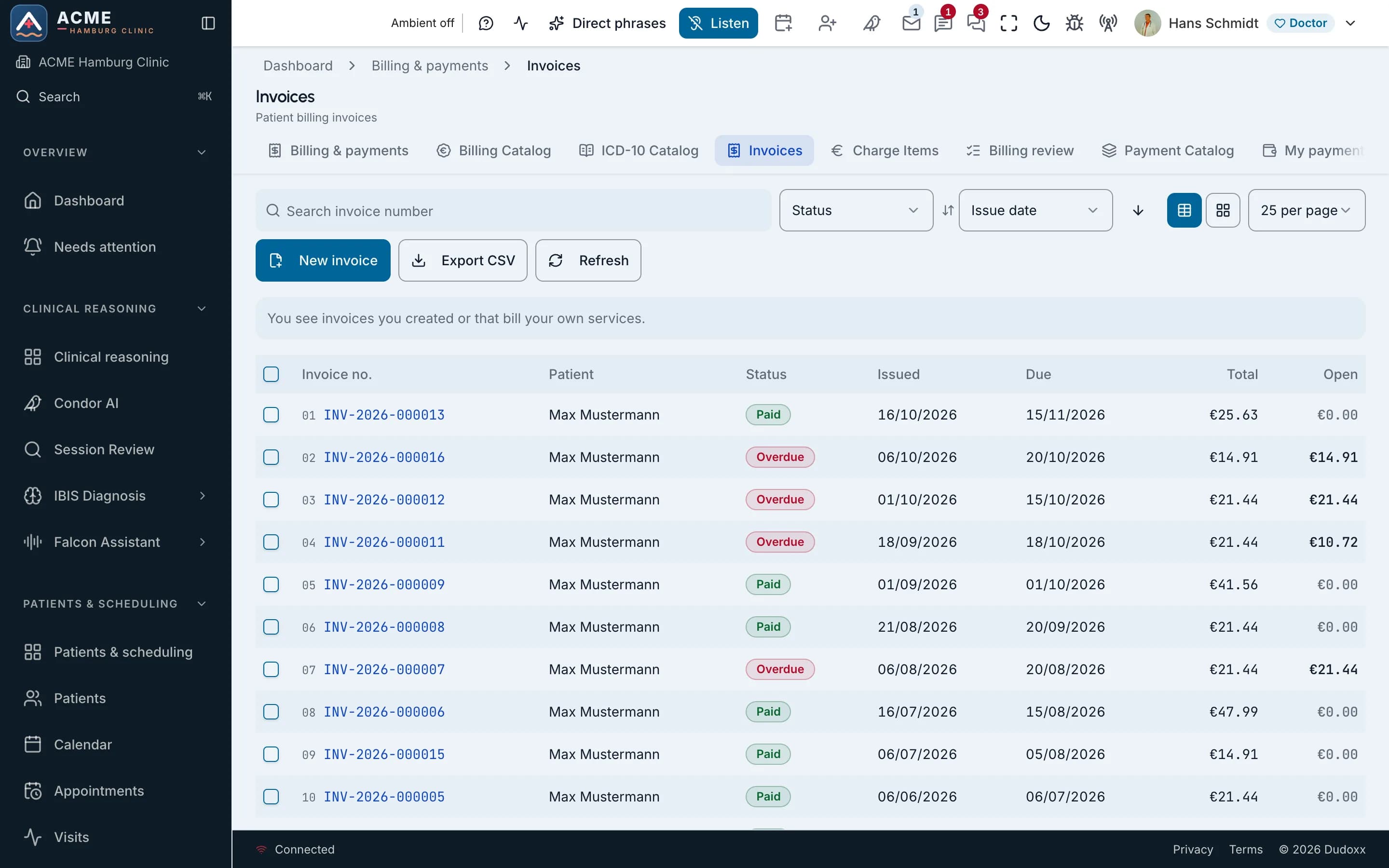
  1. New invoice and CSV export
  2. Status of each invoice: paid or overdue
  3. Open amount for each invoice
The invoice list of a demo clinic with a synthetic patient: status, dates, totals and open amounts.The invoice list of a demo clinic with a synthetic patient: status, dates, totals and open amounts.
Real screenThe invoice list of a demo clinic with a synthetic patient: status, dates, totals and open amounts.

One record instead of 5–8 tools

A practice often keeps its data in five to eight disconnected tools. Dudoxx puts one workspace around one patient record.

Often run side by side today

  • Patient record
  • Scheduling
  • Billing
  • Dictation
  • Documents
  • Patient portal

Every desk reads the same patient

Ten role-based portals on one platform.

Watch how it works

A narrated tour of the real screens, chapter by chapter.

The clinic administrator

Running one clinic: rooms and services, scheduling, people, clinical content, compliance, settings and the brand site.

Narrated in: English16 chapters

More manuals

All manuals

Discovery to go-live

Each phase ends with a result your team can check before the next one starts.

Getting a clinic live in five steps: discovery, setup, testing with your own cases, training for each desk, go-live and the first weeks Five steps for the clinic administrator. Discovery starts with how the clinic works now. Setup creates the clinic’s own space, isolated from every other clinic, adds sites, rooms and staff, and gives each person a role. Testing uses the clinic’s own cases. Training is one track for each desk, on the clinic’s own configuration. Go-live happens on a date the clinic chooses, with the team on call during the switch. Discovery how your clinic works today, desk by desk 1 Setup your clinic’s own space, sites, rooms, staff, roles 2 Testing with your clinic’s own cases 3 Training one track for each desk, on your configuration 4 Go-live on a date you choose, team on call, first weeks 5 a person checks

Getting a clinic live in five steps: discovery, setup, testing with your own cases, training for each desk, then go-live and the first weeks.

Open the full diagram (opens in a new tab)

Four ways we work with you

Who can see what

Security in Dudoxx AI HMS is built from plain layers: sign-in, roles, clinic isolation, encryption and an audit log. Reception, doctors and accounting each see the part of the record their work needs.

  • Roles

    Ten role-based portals give each role its own view of the same record.

  • Clinic isolation

    Each clinic’s data is isolated from every other clinic, in our cloud and on your premises.

  • Encryption

    Data is encrypted in transit and at rest, without anyone having to switch it on.

  • Audit log

    The platform keeps an audit log, so access questions are answered from one place.

Our cloud or your premises, the same platform

Run Dudoxx in our cloud or on your own premises. Each clinic's data is isolated.

Questions buyers ask

See Dudoxx on your own desks.

Start with the price for your number of doctors, then book a demo and bring your own questions.