

Skip to content

Platform · Forms

Forms answered before the patient walks in

Forms filled before the visit.

Reception and the doctors stop typing up clipboards. The clinic builds clinical forms in a visual builder, and patients answer through a secure guest link, with no app to install.
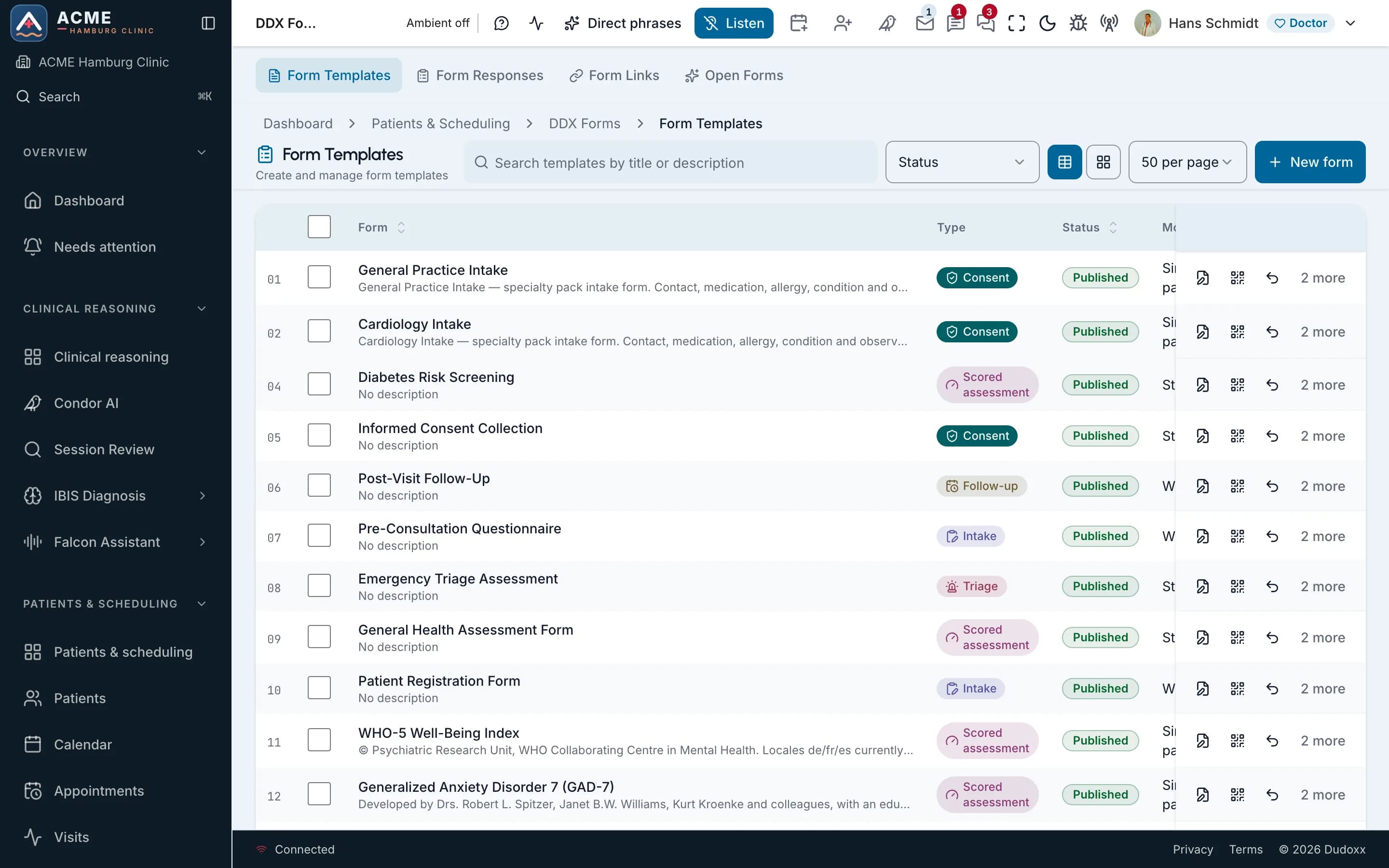
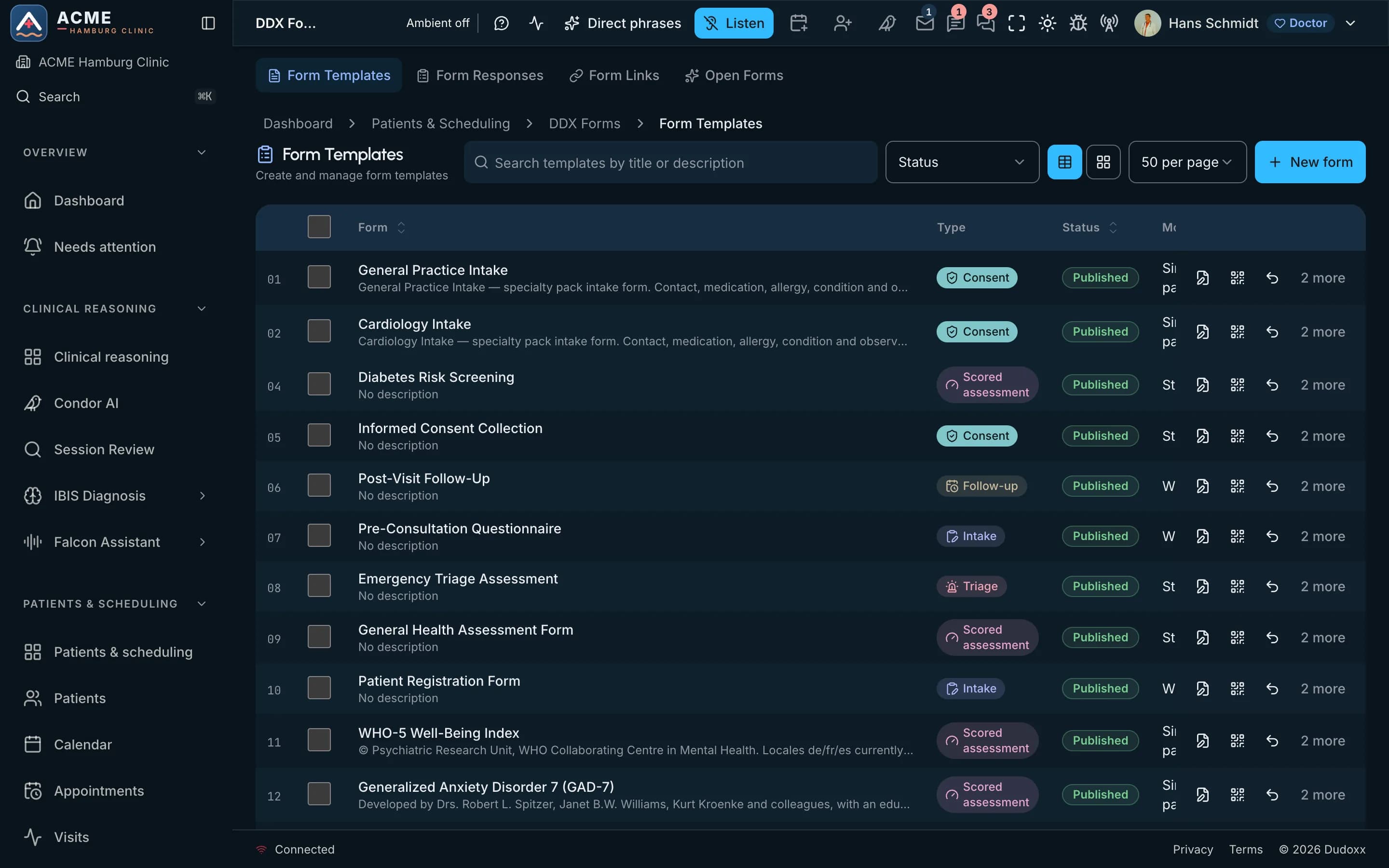
The form template list of a demo clinic.The form template list of a demo clinic.

On the screen

  1. Whole screen
  2. Zoom in
  3. Move across
Real screenThe form template list of a demo clinic.

From the builder to the consultation

  • Before arrival

    Patients answer through a secure guest link, with no app to install, on the device they already have.

  • Assessments

    The clinic assigns an assessment to a patient, who completes it online before or between visits.

  • Voice form filling

    What is said in the consultation fills the fields of the form, without stopping to type.

Watch how it works

A narrated tour of the real screens, chapter by chapter.

Forms and templates

The DDX form builder from empty canvas to published form, plus document, section, treatment-plan and email templates.
Narrated in: English11 chapters

All manuals

Forms on screen

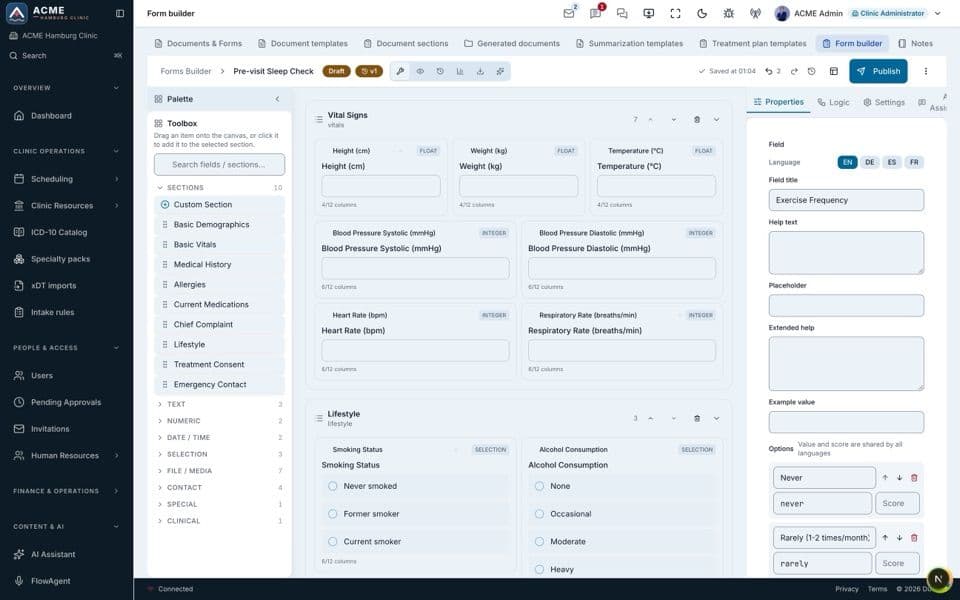
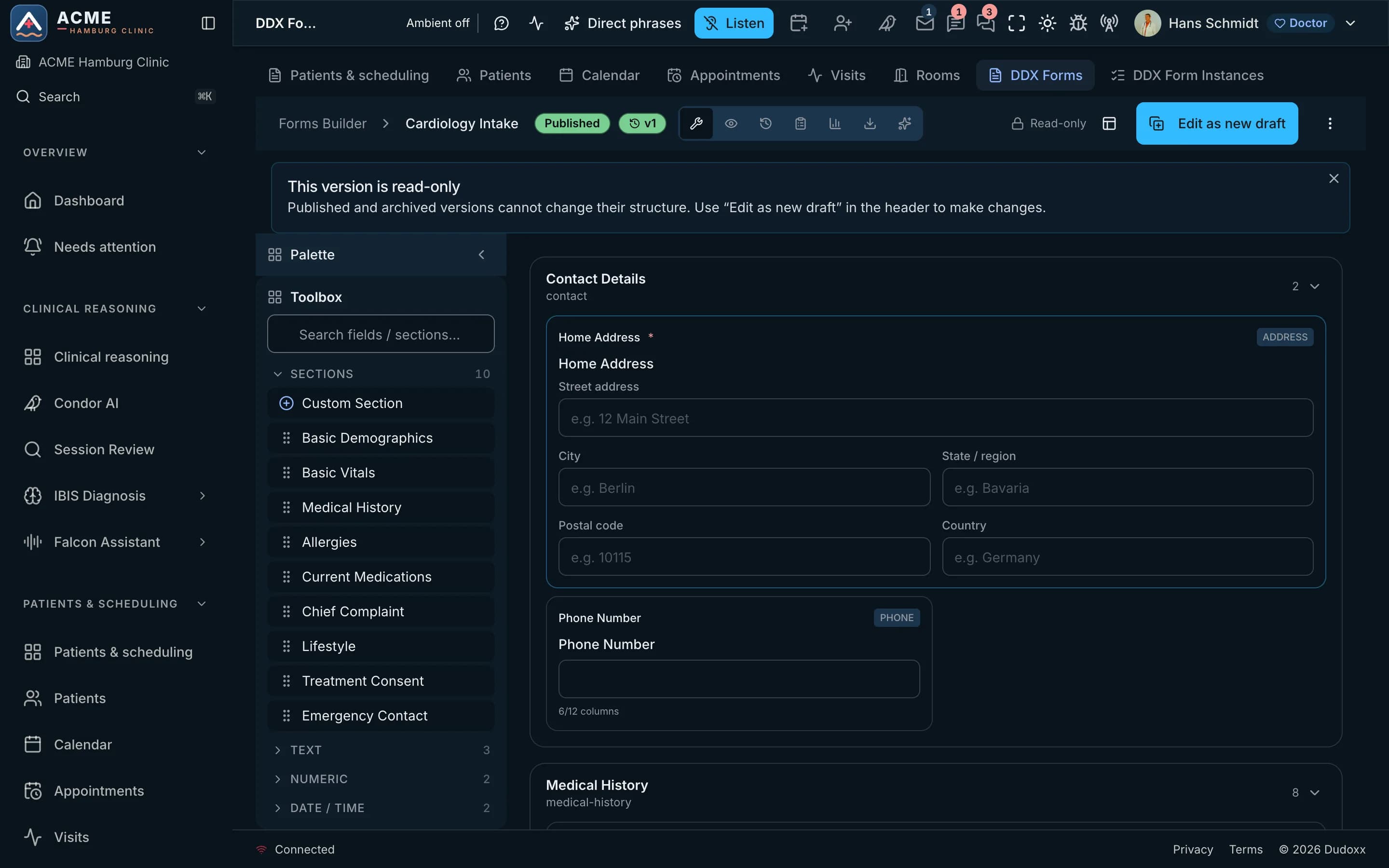
  1. The form builder of a demo clinic, with a published intake form open.

    On the screen

    1. Whole screen
    2. Zoom in
    3. Move across
    Real screenThe form builder of a demo clinic, with a published intake form open.

    Visual builder

    The clinic builds forms in a visual builder: questions, answer choices and sections arranged on screen.

  1. Guided voice filling

    FlowAgent walks patients through an assessment by voice, one question at a time.

From the builder to the visit

Intake forms: filled before the visit, approved by staff, then written to the record The clinic sends a bundle of forms and consents with a link by email or SMS. The patient fills it in one of four ways: in the signed-in portal, by QR code on a phone, on a clinic tablet at reception, or through a guided link that asks step by step. QR and tablet links first check the date of birth and close after five wrong answers. Every channel writes the same form, and the first submit wins. Signed forms are sealed with a hash and archived as a PDF in the patient's documents. Staff review and approve the answers; only then are the bound answers, such as allergies, medication and findings, written to the patient record. to staff review approved signed forms Signed copy archived answers sealed with a hash · PDF in the patient's documents Bundle sent forms + consents link by email or SMS 1 Filled in in one of four ways 2 Submitted once same form, any channel first submit wins 3 Staff approve reviewed by the team approval locks it 4 Into the record bound answers only allergies · meds · findings 5 2 FILLED IN ONE OF FOUR WAYS already signed in In the portal signed in · any screen QR on the phone scan · no account Clinic tablet kiosk at reception signed invite Guided link step by step Identity check QR and tablet links: date of birth first, 5 misses close it starts here human or identity check kept as evidence lands in the record next step
Intake forms: filled before the visit, approved by staff, then written to the record The clinic sends a bundle of forms and consents with a link by email or SMS. The patient fills it in one of four ways: in the signed-in portal, by QR code on a phone, on a clinic tablet at reception, or through a guided link that asks step by step. QR and tablet links first check the date of birth and close after five wrong answers. Every channel writes the same form, and the first submit wins. Signed forms are sealed with a hash and archived as a PDF in the patient's documents. Staff review and approve the answers; only then are the bound answers, such as allergies, medication and findings, written to the patient record. link signed forms to staff review approved Bundle sent forms + consents link by email or SMS 1 Filled in in one of four ways 2 Submitted once same form, any channel first submit wins 3 Signed copy archived answers sealed with a hash · PDF in the patient's documents Staff approve reviewed by the team approval locks it 4 Into the record bound answers only allergies · meds · findings 5 2 FILLED IN ONE OF FOUR WAYS already signed in In the portal signed in · any screen QR on the phone scan · no account Clinic tablet kiosk at reception signed invite Guided link step by step Identity check QR and tablet links: date of birth first, 5 misses close it starts here human or identity check kept as evidence lands in the record next step

Forms before the visit in five steps: the bundle is sent, the patient fills it in one of four ways and submits it once, staff approve, and the answers go into the record. The signed copy is archived.

Open the full diagram (opens in a new tab)

Questions about forms

See a form go from builder to visit

Book a demo and we build a form, send it by link and read the answers in a visit.